 Popcorn Panic
Crowd runner games you can play offline, and how to check before you go
Store pages say "no Wi-Fi needed" a lot. Here is how to test that claim yourself in two minutes, and what to expect once the signal is gone.

In this guide
Many crowd runners can be played offline because the whole level runs on the phone: the road, the gates and the crowd need no server. To be sure, install the game, play one level with internet on, then switch on airplane mode, close the game fully and play two more levels. If it starts, plays and saves, it works offline. Expect ads and reward videos to stop, since those need a connection.
A long train ride, a flight, a weak signal at a holiday cottage. That is exactly when a quick game helps, and exactly when some games refuse to start.
Crowd runners are a good fit for these moments. Levels are short, the controls use one finger, and nothing depends on other players. Still, "plays offline" on a store page is a claim, not a promise. This guide shows how to find crowd runner games you can play offline, how to test one yourself before you leave, and what to expect once you are out of range. We use our own game, Popcorn Panic, as the worked example, because we know exactly what it does without a connection.
Why crowd runners suit offline play
A crowd runner is a simple loop: steer a group through gates, grow it, and reach the finish with enough of it left. If the genre is new to you, our guide to what a crowd runner game is covers the basics.
Everything in that loop can happen on the phone itself:
- The level is built on the device. Roads, gates and obstacles do not need to be downloaded one by one.
- There is no opponent online. You play against the level, not against other people, so there is nobody to connect to.
- Progress fits in a small save file. Your level, coins and upgrades can sit in the game's own storage on the phone.
Compare that with games that have live events, leaderboards, chat or cloud-only saves. Those often need the internet just to open, even if the playing part would work without it. Our article on crowd runners vs endless runners explains how the two styles differ, and both can be offline-friendly when they are built this way.
How to read a store page for offline play
Before you install anything, look for clues on the listing:
- A clear line about Wi-Fi. Phrases like "no Wi-Fi needed" or "play offline" are a good start. The Popcorn Panic listing says "No Wi-Fi needed to play."
- What the internet is used for. A good listing or privacy policy says why the game connects at all, for example only for ads.
- Accounts and logins. If a game needs you to sign in before playing, it may need a connection at launch.
- Online-only features. Daily tournaments, friend lists and live rankings usually stop working offline, and sometimes block the rest of the game.
A store page is only the developer's word, so treat it as a shortlist, then test.
The two-minute airplane mode test
Do this at home, with time to spare, before the trip. It works on any Android phone or tablet.
- Install the game and open it once with internet on. Some games download extra files the first time. Let it finish loading.
- Play one full level. Answer any first-launch questions and get past the tutorial cards while you still have a connection.
- Switch on airplane mode. Swipe down from the top of the screen and tap the plane icon. Check that Wi-Fi is off too, since some phones keep it on.
- Close the game fully. Open the recent apps view and swipe the game away. This makes sure it starts fresh, not from memory.
- Open it again and play two levels. If it starts, plays and moves you on, the core game works offline.
- Close and reopen once more. Check that the level number and your coins are still there. That tells you the save stays on the phone.
- Turn airplane mode off when you are done. Nothing needs to sync for an offline save, but your phone will want its signal back.
What changes when you are offline
A game that passes the test can still feel a little different without internet. In most free crowd runners, the parts that change are the ones tied to ads.
Here is what happens in Popcorn Panic, as an example:
- Levels play normally. Firing popcorn, picking gates, splashing the soda gang and filling the bucket all work.
- Progress saves on the phone. There are no accounts, and your level, coins and upgrades stay on the device.
- Ads do not appear. The game only uses the internet for ads, so with no connection there are no break ads and no banner.
- Reward videos are not available. If you tap a button with an AD tag, for example to continue a level or double your coins, the game says "No video right now. Try again in a moment." and you simply carry on without the bonus.
- Free options still work. After a loss you can always press Try again, and coins from won levels keep coming in for upgrades.

Other games handle this in their own way. Some show a message, some hide the video buttons, and a few stop working until you reconnect. The airplane mode test catches all of these before you rely on the game.
Getting ready before a trip
A little preparation makes offline play smoother:
- Update the game at home. An update that starts on mobile data in a station can be slow or stop halfway.
- Play past the first-launch screens. Age questions, sound settings and tutorials are easier to sort out while you can still look things up.
- Spend your coins before you leave. Upgrades bought at home make the next levels a little easier on the road.
- Charge the phone and bring a cable. Short levels are light on battery, but screen brightness adds up over a long journey.
- Turn the brightness down a little. It saves battery and is kinder on the eyes in a dark car or cabin.
If you are planning for children, sit with them for the first launch at home. Our Popcorn Panic parent guide explains the age question and what it changes.
Popcorn Panic as an offline crowd runner
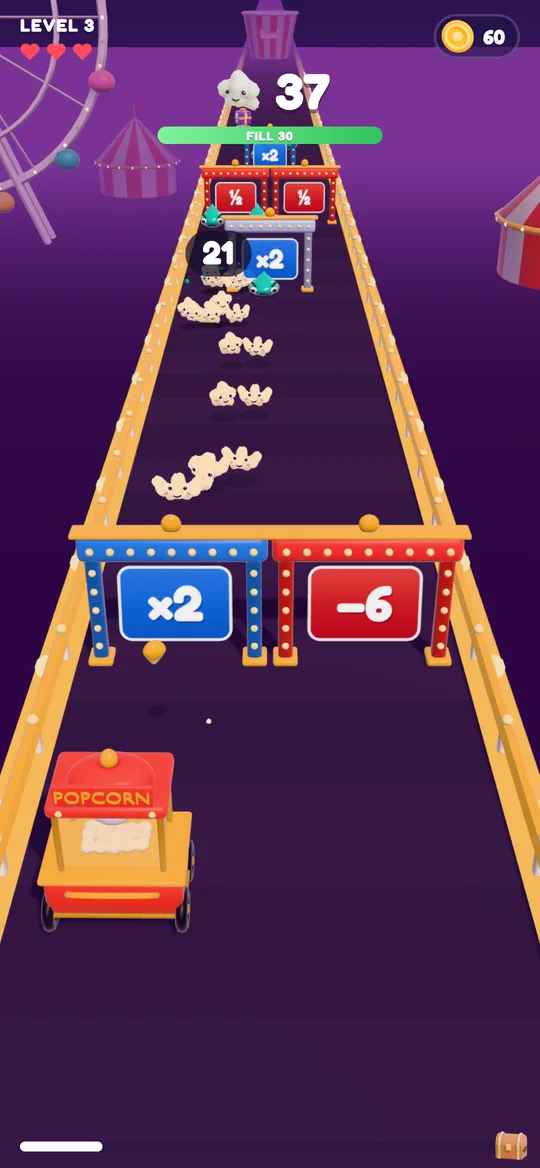
Popcorn Panic: Crowd Rush is a free popcorn crowd runner for Android. You hold anywhere to fire kernels from your cart, drag to steer them through blue gates, splash the soda gang and fill the giant bucket at the end of each level. Every 5th level is HARD, every 10th brings the Big Gulp boss, and an easier level follows each spike.
You do not need Wi-Fi to play it. The internet is only used for ads, and progress is saved on your device. There is nothing to buy, so playing offline does not lock you out of any part of the game: coins, upgrades and flavours are all earned by playing.
FAQ
Can you play crowd runner games without internet?
Many of them, yes. The level, the gates and the crowd usually run entirely on the phone. Games that need a login, live events or cloud saves may need a connection to start, so test before you travel.
How do I check if a game works offline?
Play one level with internet on, switch on airplane mode, close the game fully and play two more levels. Then close and reopen it to check your progress was saved.
Do ads show in offline games?
Ads need an internet connection to load, so they usually stop when you are offline. Reward videos also stop, which means bonuses that need a video are not available until you reconnect.
Does Popcorn Panic work offline?
Yes. You do not need Wi-Fi to play Popcorn Panic. The internet is only used for ads, and your progress is saved on your device.
Will I lose my progress if I play offline?
Not in a game that saves on the phone, like Popcorn Panic. Step 6 of the airplane mode test checks this for any game: close it, reopen it and make sure your level and coins are still there.